Ever felt like your AI chat runs out of space way too fast? Here's a simple change to how you write prompts that makes a huge difference.
Wait - what is a "token" anyway?
Before we get into the trick, let's understand the problem. When you chat with an AI like Claude, every word (or even part of a word) costs something called a tokens.
Think of it like a word budget. You get a big but limited bucket of words each day. Every message you send and every reply the AI gives uses up words from that bucket. Once it's full — you're done for the session.
The sneaky part? Every AI response also gets added to the ongoing "memory" of your chat. So the longer and wordier the AI's replies, the faster you burn through your budget.
Why is the AI so chatty?
AI models like Claude are trained by people who tend to rate longer, friendlier replies as more helpful. So the AI learned: more words = better response. This causes a habit of adding filler phrases that don't really help you.
What the AI says (normal mode) Sure! I'd be happy to help. The reason this is happening is that the value might be undefined. What you'll want to do is use optional chaining like this: user?.profile?.name
What it actually needs to say Value maybe undefined. Use optional chain: user?.profile?.name
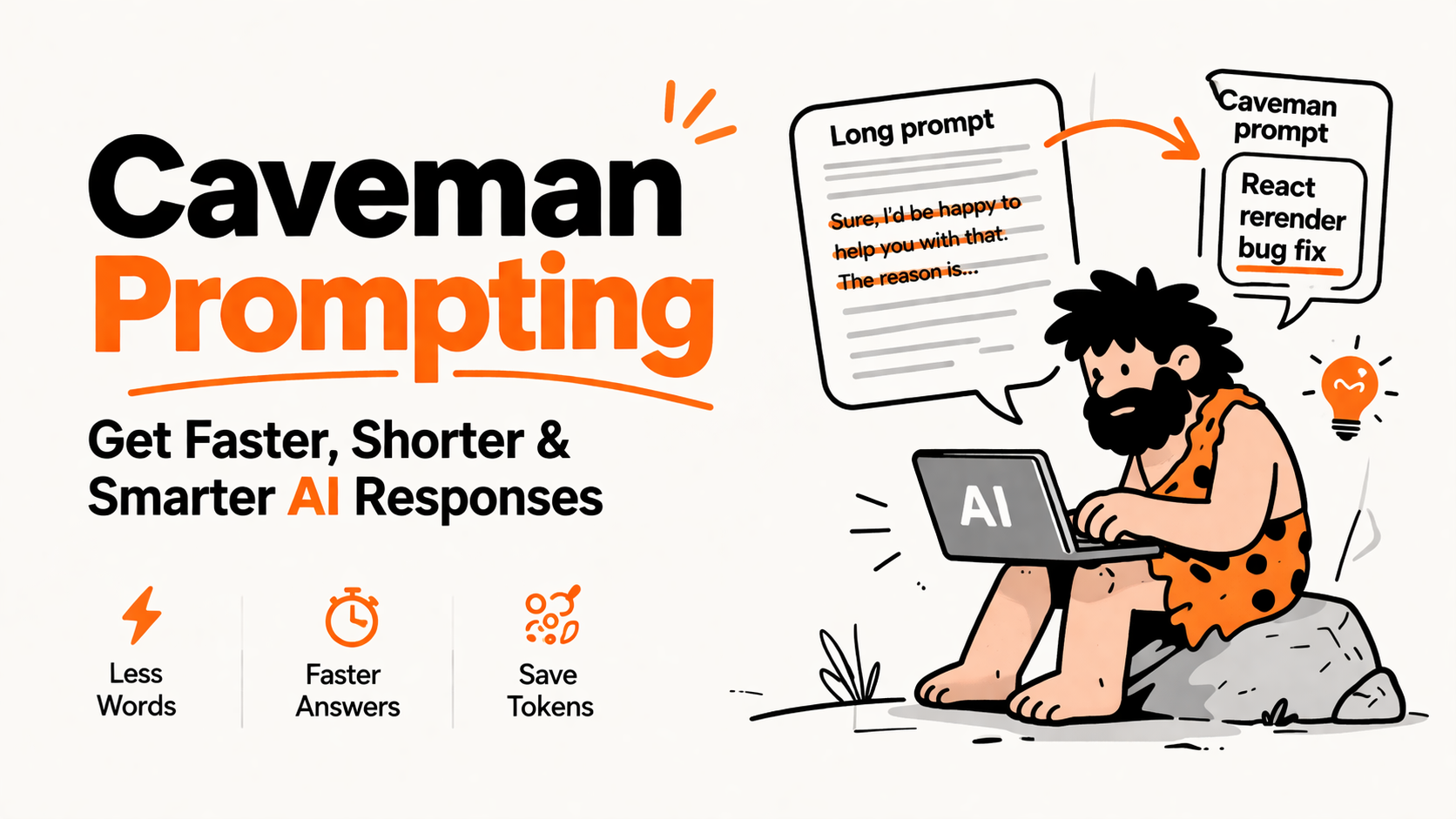
Same answer. But the first version uses about 5× more tokens than the second. That's the problem caveman prompting solves.
What is "caveman prompting"?
Caveman prompting is a simple trick where you ask the AI to respond like a cave person - short, blunt, no fluff. Instead of elegant English, it gives you just the raw information you need.
It sounds funny, but it works amazingly well. Here's what you add to the beginning of your chat:
Caveman system prompt You are caveman AI. Use short sentences. No filler words. No "sure" or "happy to help". Give answer fast. Use symbols like → instead of words. Keep code blocks full. No yap.
After this instruction, the AI drops all the social pleasantries and gets straight to the point — like a super-smart cave person who only speaks in essential facts.
The simple rules of caveman mode
Here's what changes - and what stays the same:
✕ Drop filler phrases — "Sure!", "Great question!", "I'd be happy to help", "The reason this is happening is..."
✕ Drop articles — words like "a", "an", "the" add up without adding meaning
✕ Drop vague words — "basically", "essentially", "generally speaking"
✓ Keep all code — code blocks are never shortened, they stay complete and accurate
✓ Keep technical words — terms like "idempotency" or "null pointer" are preserved exactly
✓ Use symbols — replace "results in" with →, replace "compared to" with vs., saves tokens instantly
How much does it actually save?
Developers have tested this across dozens of common AI tasks. The savings are real:
87%
savings on explaining React bugs
84%
savings on database setup guides
75%
average savings across all tasks
The savings are biggest for tasks that normally need lots of explanation , like debugging or architecture advice. For pure coding tasks, the savings are smaller (because the code itself can't be shortened).
Science actually backs this up
Researchers studied this idea formally. They called it "Chain of Draft" — giving AI only 5 words per reasoning step instead of full paragraphs.
The surprising result? The AI's answers were just as accurate with only 7.6% of the words. Extra words weren't making it smarter — they were just noise.
Think of a chess grandmaster. They don't need to explain every move in complete sentences. A quick mental note like "bishop threatens queen → castle" is enough. More words doesn't mean better thinking.
3 more tips to save even more
-
Start fresh chats often. Every message in your chat history gets re-read by the AI each time. After 15–20 messages, start a new chat to clear the slate.
-
Be specific in your questions. "Fix the bug" forces the AI to search broadly. "Fix the login error in file auth.js line 42" is much cheaper — it limits how much the AI has to think.
-
Use simpler AI models for simple tasks. Not everything needs the most powerful model. Save the big one for hard problems.
The bigger idea here
Caveman prompting points to something interesting: we don't need the AI to be polite. We need it to be useful. The "friendliness" of AI responses is increasingly something people want to turn off — especially developers who just want the answer, fast.
It also saves your own mental energy. Reading a 3-paragraph answer to a 1-line question is exhausting. Short answers are not just cheaper in tokens — they're faster for your brain to process too.
AI use many word. You pay for word. Tell AI: less word. Save big. Grug happy.