
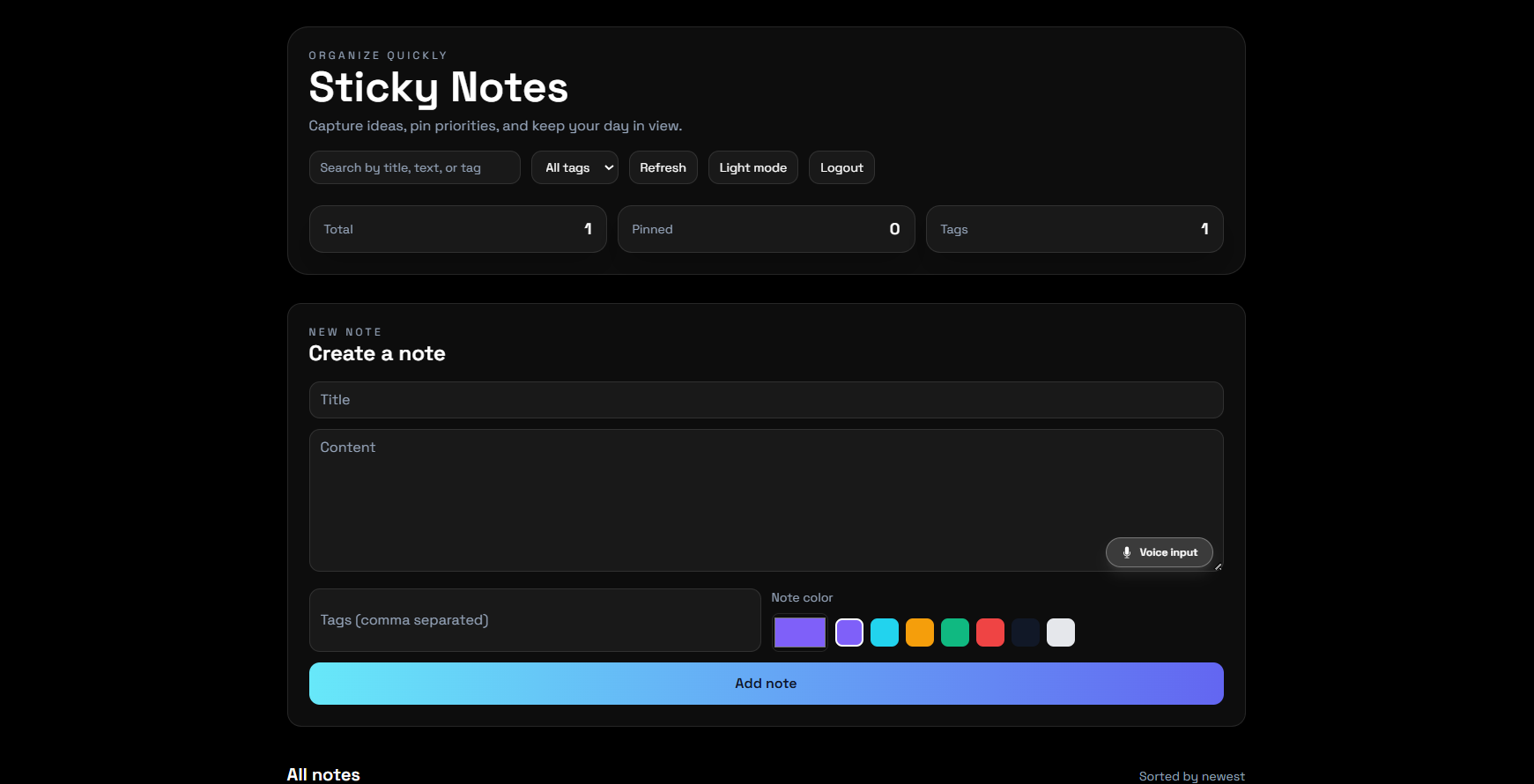
Building a Full-Stack Sticky Notes Web App
What looks like a simple notes application can actually teach some of the most important concepts in web development. While building my Sticky Notes web app using React, Node.js, Express, and MongoDB, I learned how frontend, backend, database, APIs, deployment, and debugging all come together in a real project.
In this post, I want to share what I built, how it works, the challenges I faced, and what this project taught me as a developer.
Project overview
This is a full-stack Sticky Notes application that allows users to:
create notes
edit notes
delete notes
pin important notes
organize content in a clean interface
The main goal of this project was to build something practical while improving my understanding of real-world full-stack development.
Tech stack
React
Node.js
Express.js
MongoDB
Vercel
Render
Why I chose this project
I wanted a project that was simple in idea but rich in learning. A Sticky Notes app gave me the chance to work on both frontend and backend while also learning database operations and deployment.
It became a great project for understanding how full-stack applications actually work.
What I learned from building it
Full-stack workflow
This project helped me understand how data flows from the user interface to the server, into the database, and back to the screen.
CRUD operations
I gained practical knowledge of Create, Read, Update, and Delete operations, which are used in many modern applications.
API communication
I learned how frontend and backend communicate through APIs and how to manage requests and responses properly.
Database management
Using MongoDB taught me how to store and manage application data efficiently.
Deployment challenges
Deploying the frontend on Vercel and backend on Render helped me understand production-level issues such as API URLs, environment variables, and integration bugs.
Debugging skills
This project improved my debugging mindset. Instead of getting stuck on errors, I learned how to inspect them step by step and solve them patiently.
Challenges I faced
Some of the main challenges were:
frontend-backend connection after deployment
environment variable configuration
API route handling
fixing issues that appeared only in production
These challenges made the project more meaningful because they pushed me beyond just writing code.
Why this project is meaningful to me
This project represents growth. It is not just about notes. It is about learning how to build a complete application from idea to deployment.
It gave me more confidence in my development skills and encouraged me to keep building more projects.
Future improvements
Some features I would like to add next are:
user authentication
note search and filtering
categories and tags
better personalization
improved mobile UI
Final thoughts
This Sticky Notes app taught me that even a basic project can become a strong learning experience when built with intention. It helped me connect theory with practice and improved my confidence in full-stack development.
Every bug, every fix, and every feature added something valuable to my journey as a developer.
Try the app
The project is live and available to explore.
Live Demo: https://sticky-notes-app-olive.vercel.app/
I would love for you to try it and share your feedback. Your suggestions on the design, usability, and features will help me improve the application further.